
Plugin description
- Latest version
- 1.7.4
- Minecraft
- 26.x
- Platforms
- Spigot, Paper, Folia, Purpur, Velocity, BungeeCord
- Minimum Java version
- 25+
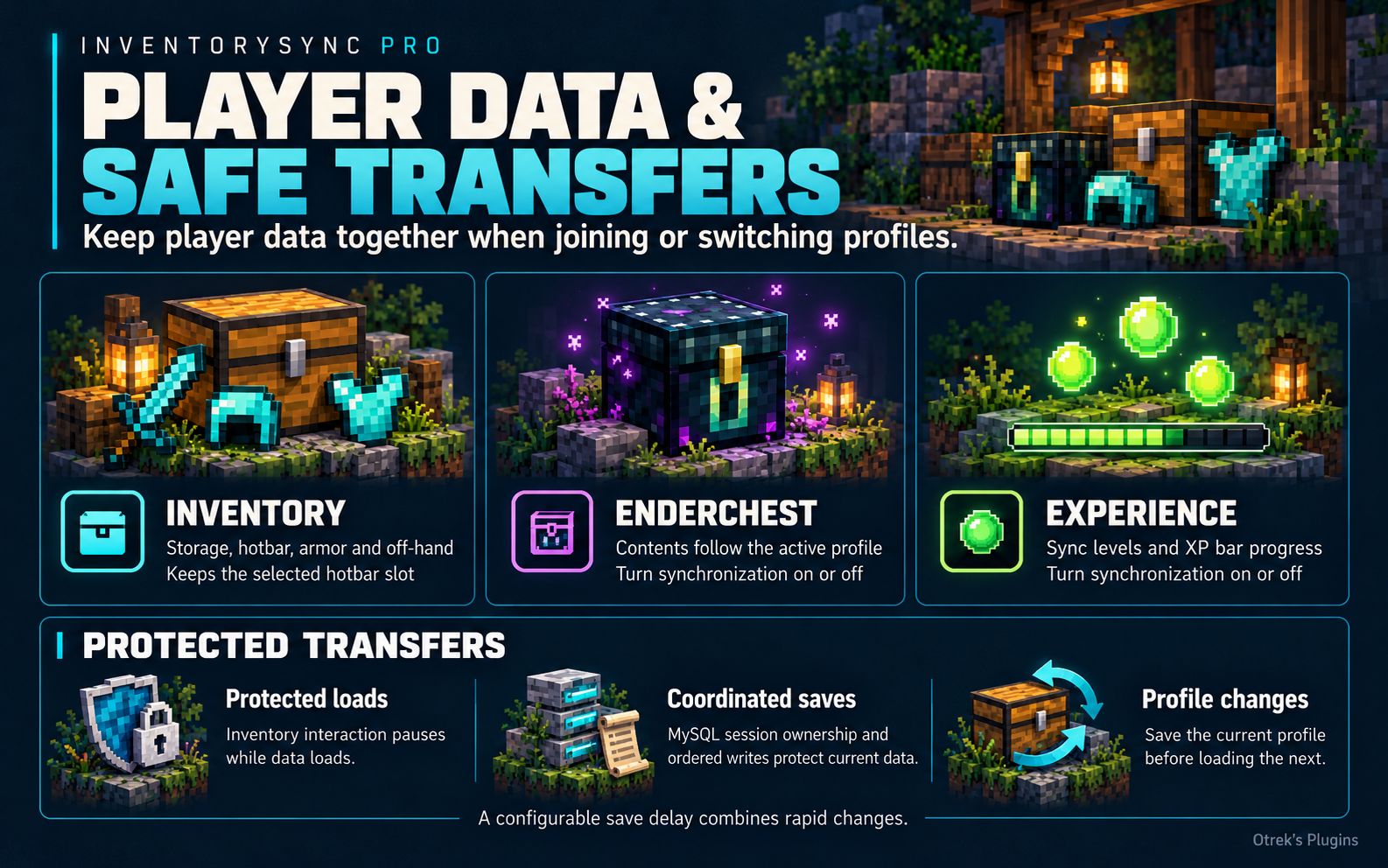
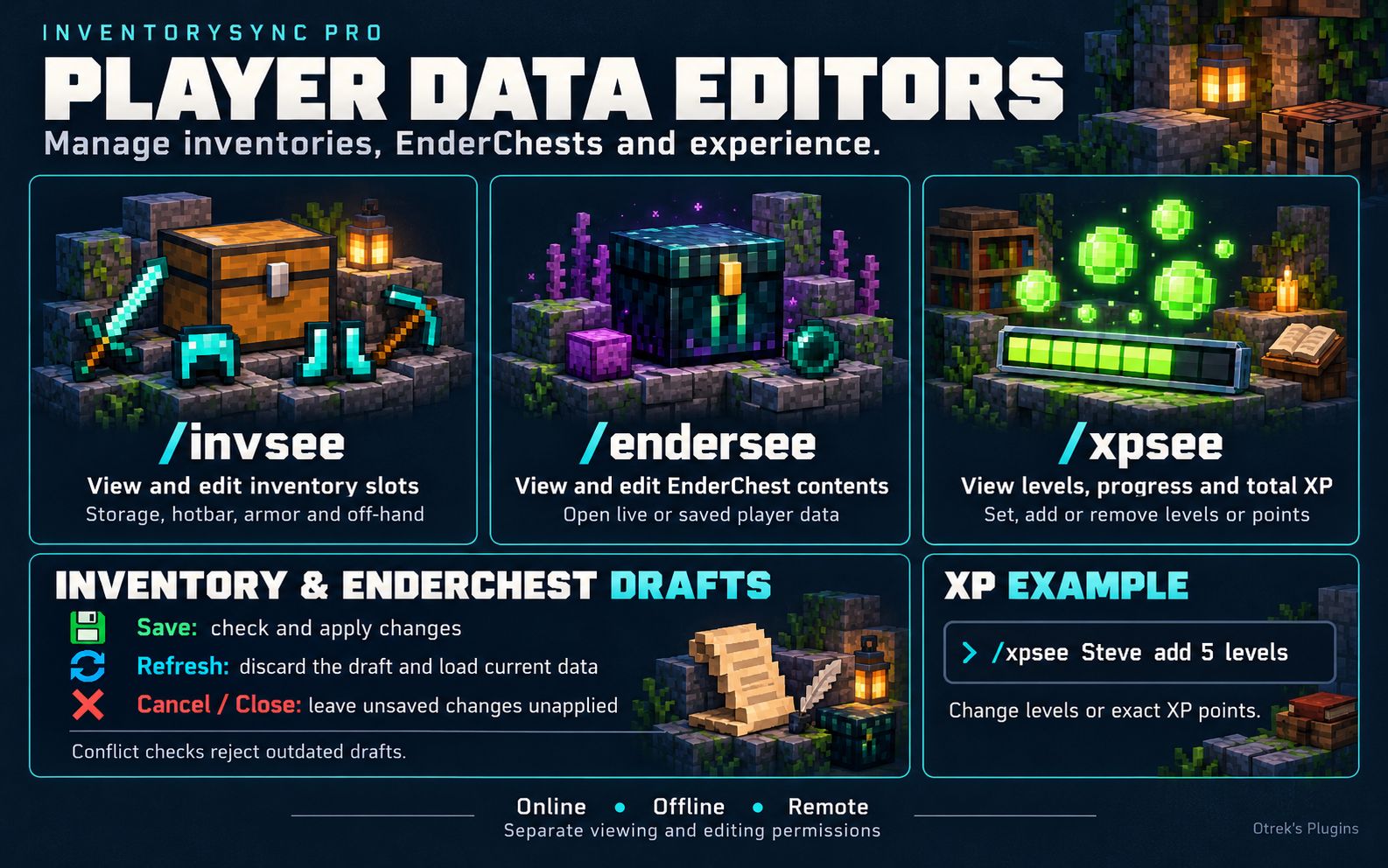
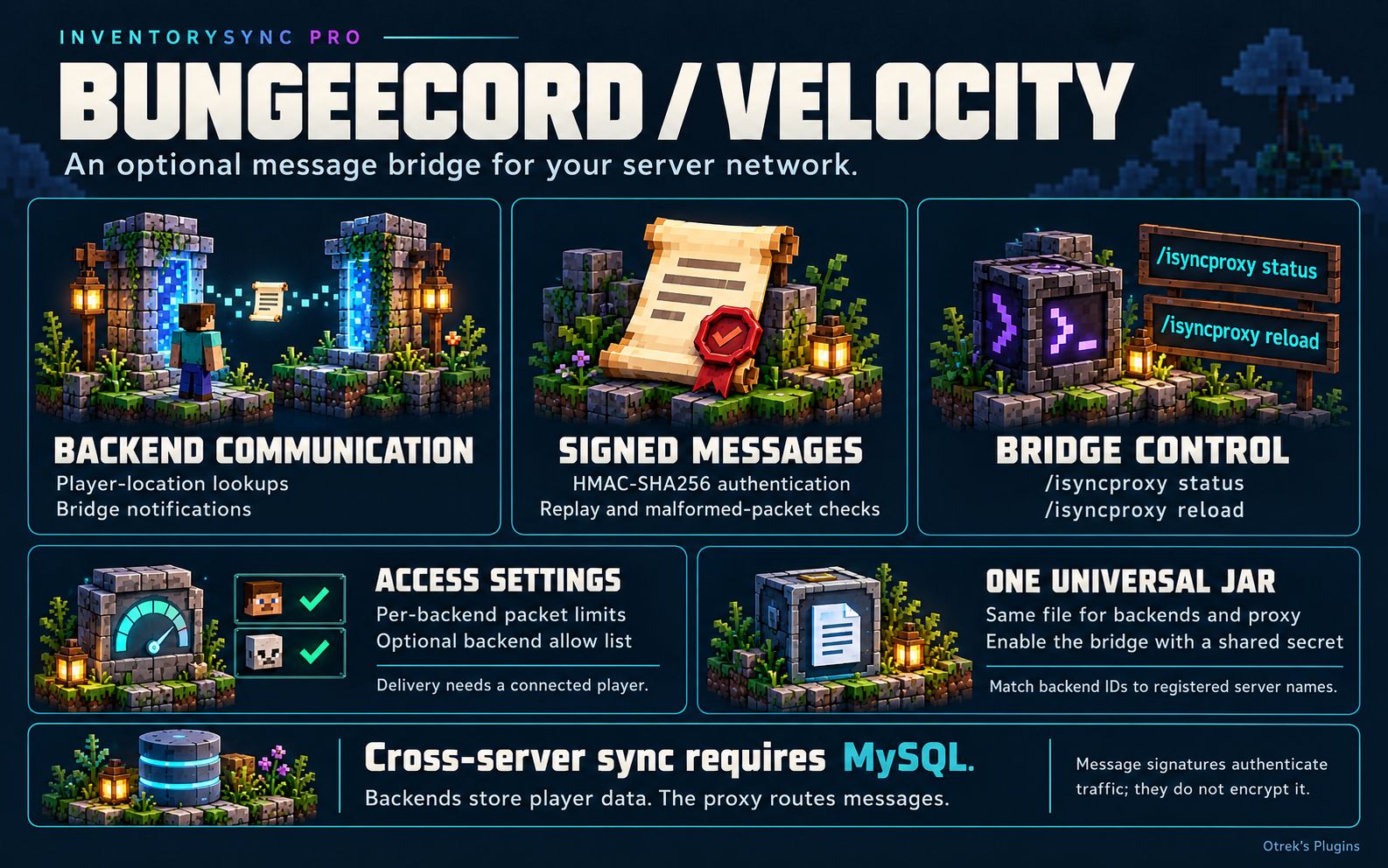
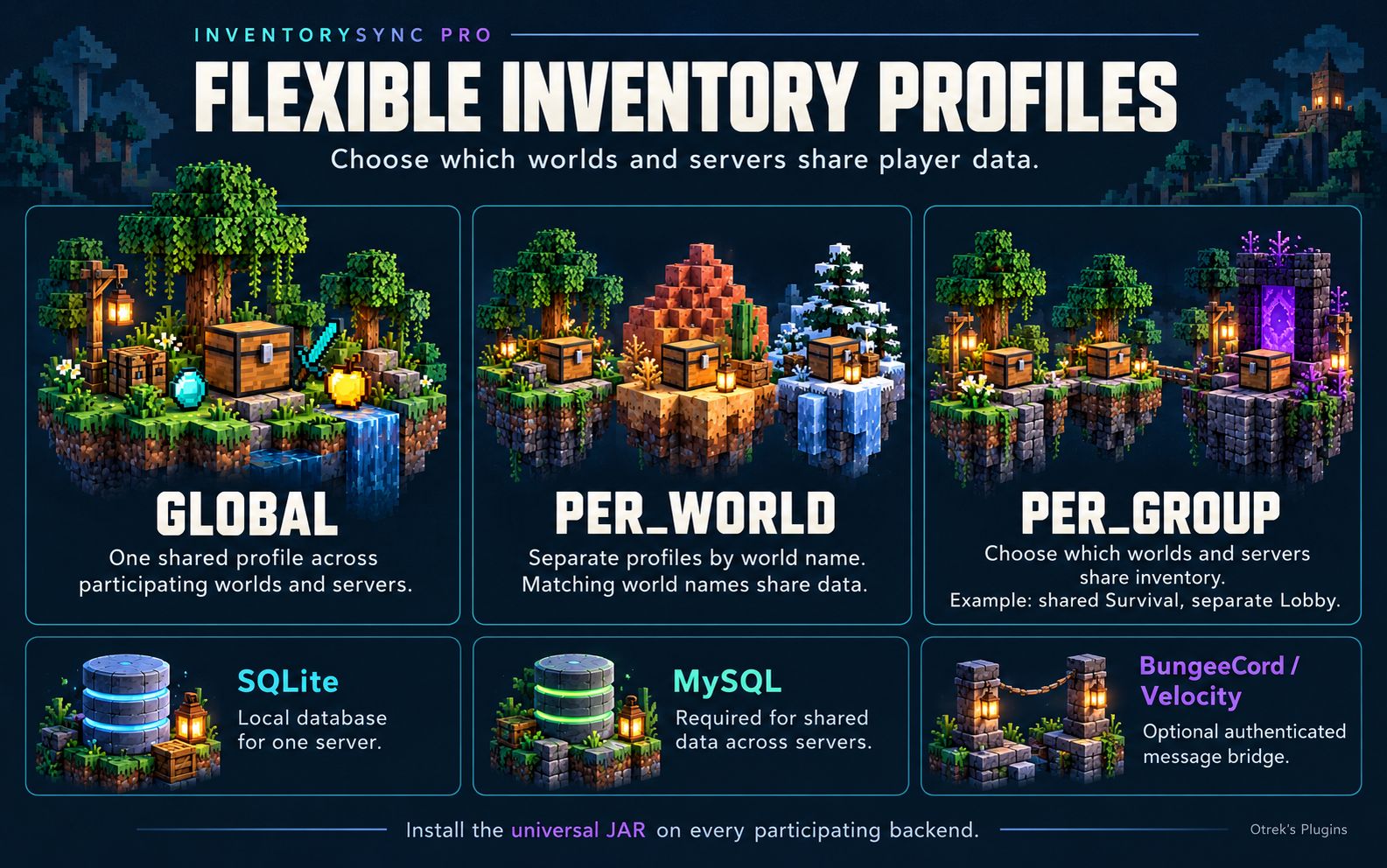
InventorySync PRO saves player inventories in a database and restores the right profile when a player joins or switches profiles. Choose where items are shared: across your whole server or network, separately in each world, or within groups such as Survival and SkyBlock. EnderChest contents and XP can use the same profiles, and you can turn off either sync feature if you don’t need it.
A single server can use a local SQLite file. For a network, connect each backend to the same MySQL database. Players can then collect items on Survival-1 and carry on with the same inventory on Survival-2, while keeping a separate inventory in Lobby.
- One Universal JAR – The same file contains the Spigot/Paper/Folia backend plugin and the BungeeCord and Velocity proxy modules. It can also be used on compatible Purpur builds.
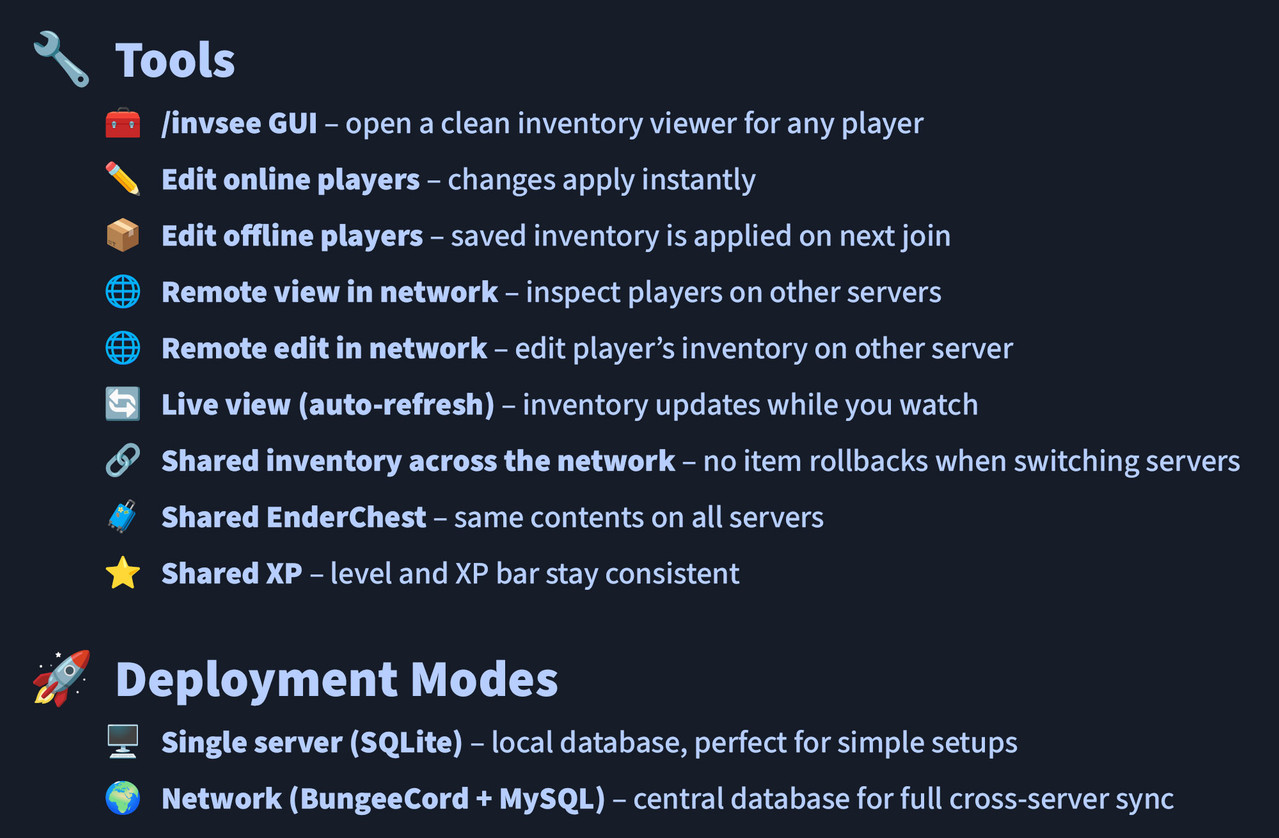
- Player Data – Synchronize inventory storage, hotbar, armor, off-hand item, selected hotbar slot, EnderChest and XP.
- Separate Profiles – Choose which worlds and servers share data, rather than giving every game mode the same inventory.
- Staff Tools – View and edit inventory, EnderChest and XP data for local, offline and remote players, with separate permissions for viewing and editing.
- Protected Transfers – Session ownership, ordered saves and checks before applying edits reduce the risk of stale data overwriting newer changes.
PLAYER DATA & SAFE TRANSFERS
During normal play, changes go into a save queue. An adjustable debounce delay groups changes made close together, avoiding a database write after every click. When a player leaves or switches profiles, the previous profile is saved before the next one is activated.
In MySQL mode, the database tracks which backend owns each player session. A new backend waits for the previous session to end, and a backend with an expired session can no longer save player data. At profile checkpoints, the inventory is saved together with EnderChest contents and XP when those sync features are enabled.
- Protected Loads – Inventory interaction is blocked while a join or profile change is being synchronized.
- Ordered Saves – Older snapshots cannot simply replace newer saved data; writes for the same player profile are coordinated.
- Failure Handling – In network mode, a protected synchronization failure disconnects the player rather than letting them continue with uncertain data.
- Network Checks – Active MySQL backends are checked for duplicate server IDs and incompatible synchronization settings.
- Shutdown Saving – Pending snapshots receive a bounded final-save phase before database connections close.
These checks help prevent common causes of rollbacks and duplicated items. Keep regular database backups, especially before updates or changes to profile mappings.
BUNGEECORD / VELOCITY: WHAT DOES THE PROXY PLUGIN DO?
The backend plugin reads and changes player inventories, handles the staff commands and saves data. The proxy module routes authenticated messages between connected backends, including player-location lookups and bridge notifications. It also provides bridge status and reload commands. It does not store inventories or need MySQL credentials.
Cross-server synchronization still requires MySQL. Installing the plugin only on BungeeCord or Velocity does not synchronize inventories. Install it on every backend that should participate, and point those backends at the same database. The proxy bridge is an additional communication layer; current
/invsee, /endersee and /xpsee remote operations communicate through MySQL and do not require bridge.enabled.To use the bridge, install the same Universal JAR on your chosen proxy and enable it on the proxy and backends. Use the same random secret in backend
config.yml and proxy proxy.properties. Each backend's storage.server-id must exactly match its registered BungeeCord/Velocity server name.- Messages are authenticated with HMAC-SHA256; the secret is not sent in packets. Authentication does not encrypt message contents.
- Expired, replayed, malformed and incorrectly routed messages are rejected. The proxy also limits traffic per backend and supports an optional backend allow list.
- Bridge delivery needs a live player connection to the backend. An empty backend does not receive a queued old request when someone joins later.
- The proxy bridge starts disabled. Replace
RANDOM_SECRETbefore enabling it; use at least 32 random characters. Accepted length is 16–256 characters.
FLEXIBLE INVENTORY PROFILES
| Mode | How it works | Typical use |
|---|---|---|
GLOBAL | Uses one shared profile named global. | The same inventory across all participating worlds and backends. |
PER_WORLD | Uses the normalized world name as the profile. | Separate inventories for worlds. The same world name on different backends shares the same profile. |
PER_GROUP | Uses your server/world mappings, with a fallback group. | Survival servers share one inventory; Lobby and SkyBlock use separate ones. |
In
PER_GROUP, group-by-server has priority over group-by-world, followed by group-default. Mapping a server to a group puts all of its worlds in that group. If you want different profiles within that server, leave it out of group-by-server and use world mappings instead. EnderChest and XP follow the selected base profile when their synchronization is enabled./INVSEE & /ENDERSEE – PLAYER DATA EDITORS
Open an inventory with
/invsee <player|uuid> [profile], or an EnderChest with /endersee <player|uuid> [profile]. For an online player, the plugin fetches current data from the backend managing their session. For an offline player, it loads saved data from the database. If you leave out the profile for an offline player, it uses the most recently saved profile for that data type.Both editors use a working copy. Click an item in your inventory to copy it, left-click the destination slot to place it, or right-click to clear a slot. Items selected or placed in this administration editor are copies, so the originals stay in your inventory.
- Save – Applies the draft after checking permissions, session/profile state and whether the original data has changed.
- Refresh – Discards the draft and loads current data. An open GUI is a snapshot; use Refresh to update it.
- Cancel / Close – Leaves unsaved draft changes unapplied.
- Conflict Check – If the player or another administrator changed the data, the old draft is rejected. Refresh before trying again.
- Read-Only Access – Staff with viewing permission can inspect data without receiving editing permission.
The inventory editor displays storage, hotbar, armor and off-hand slots, while preserving the selected hotbar slot. Offline and remote editing also depend on the administration settings. Player names enter the shared directory when they join; use a UUID for older offline data if the name cannot be found.
⭐ /XPSEE – EXPERIENCE MANAGEMENT
/xpsee <player|uuid> [profile] shows level, XP bar progress, total points, profile and backend/offline state. Use set, add or remove to change levels or exact XP points. These commands work for local, offline and remote players when the relevant settings and permissions allow it.Code · Plain text
/xpsee Steve
/xpsee Steve add 5 levels
/xpsee Steve remove 100 points
/xpsee Steve set 30 levels survival
If you omit the unit, the amount is treated as levels. Amounts must be non-negative whole numbers, and the resulting XP must fit within 2,147,483,647 points. To supply a profile when editing XP, include the unit before the profile.
STORAGE OPTIONS
SQLite is the simplest option for one backend. It stores data in a local file, needs no external database and supports the built-in
/isync backup command. You can use it for separate world/group profiles and local or offline staff tools. Do not share the SQLite file between servers.MySQL is required when multiple backends share player data. All participating backends use the same database for saved profiles, session ownership and remote administrative requests. Connection-pool size, connection/socket timeouts and SSL can be configured in
config.yml. The proxy does not replace this database.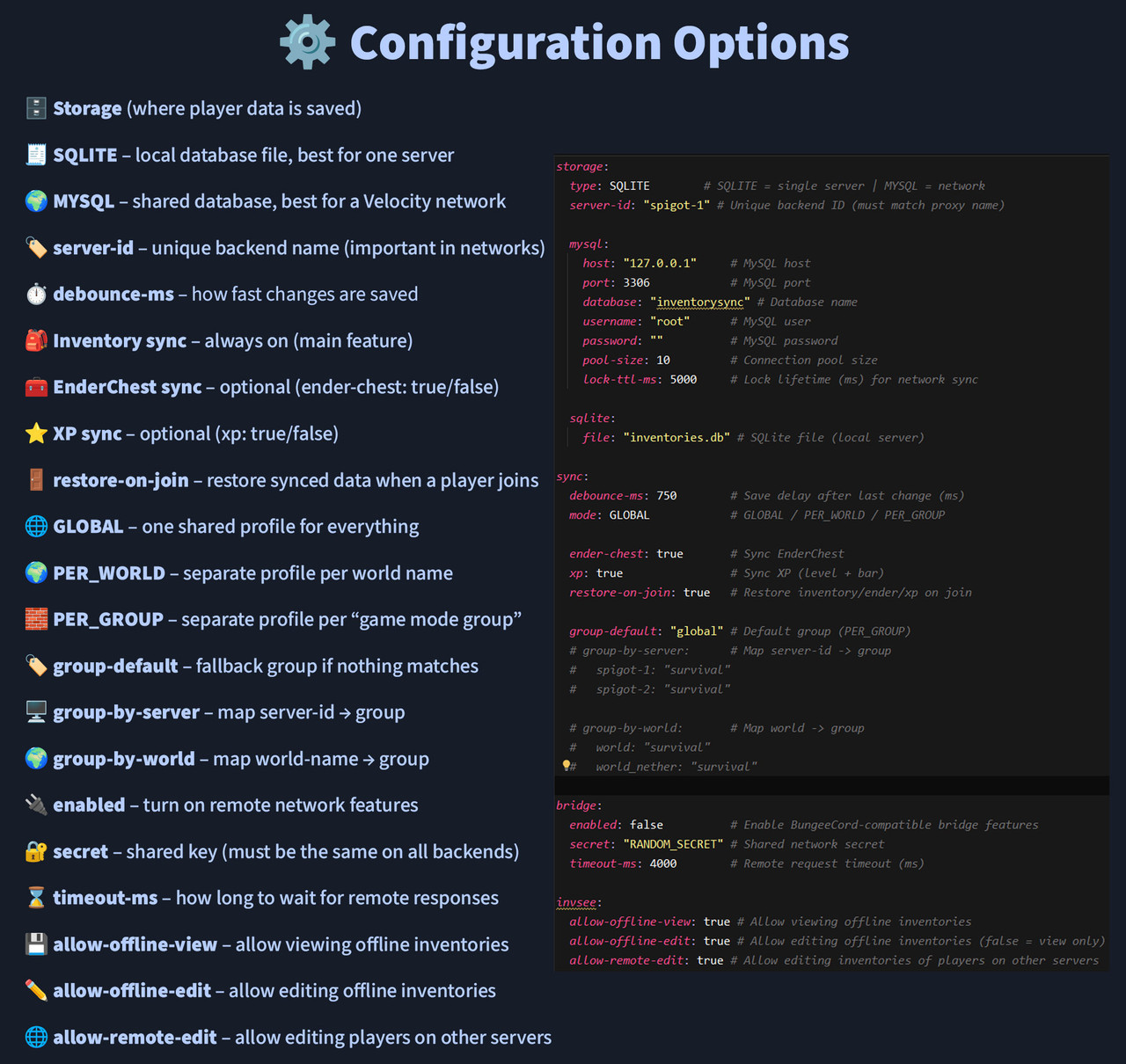
⚙️ CONFIGURATION & EXAMPLES
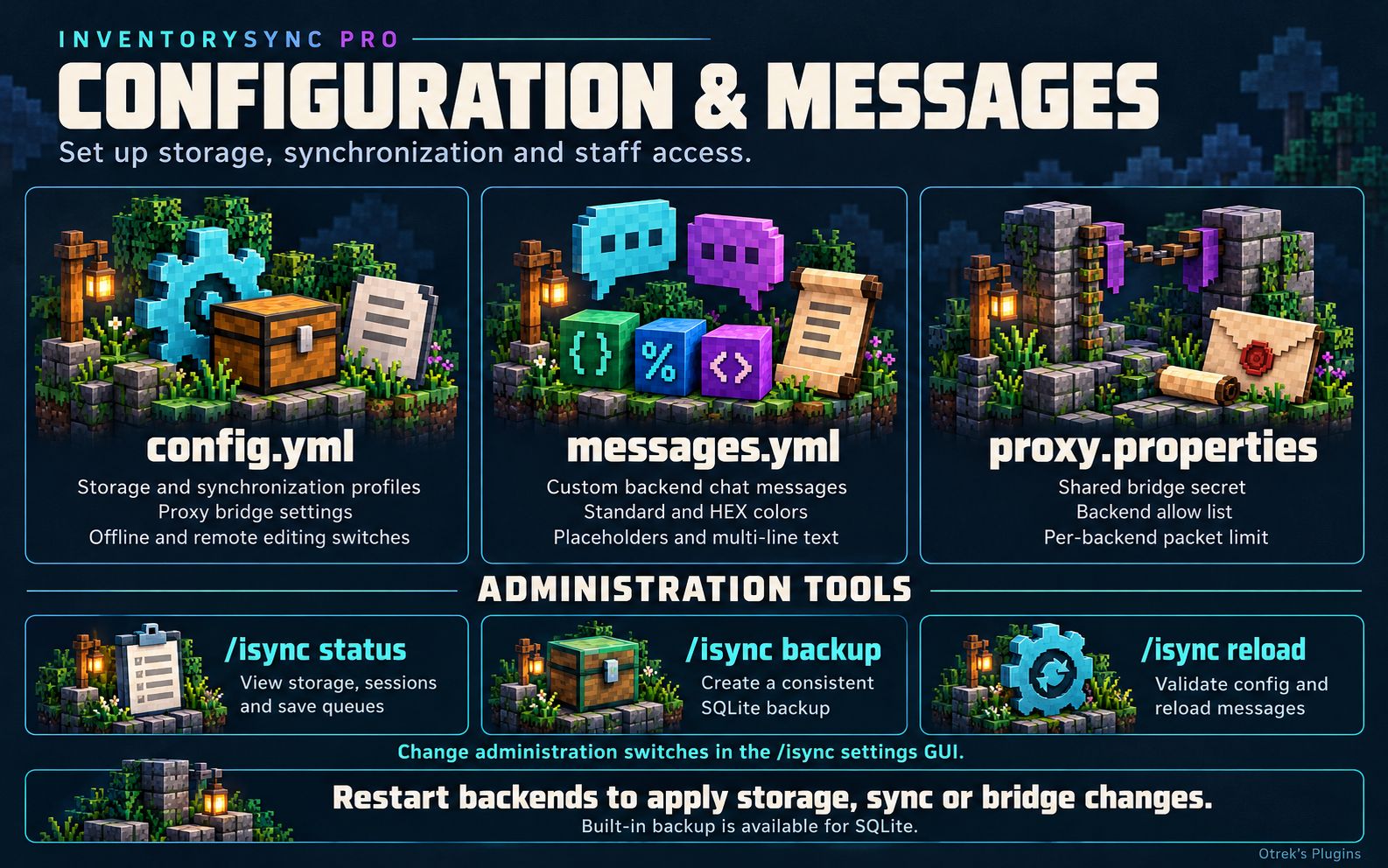
Backends generate
config.yml and messages.yml in plugins/InventorySyncPRO/. The proxy generates proxy.properties in its plugin data directory: normally plugins/InventorySyncPRO/ on BungeeCord or plugins/inventorysyncpro/ on Velocity. The proxy file is a properties file, not YAML.The examples below replace the matching sections or keys in the default configuration; keep the remaining defaults. Restart backends after changing storage, synchronization or bridge settings.
/isync reload validates configuration and reloads messages, but does not reconnect storage or apply new synchronization settings.EXAMPLE 1: ONE SERVER, SHARED SURVIVAL WORLDS AND SEPARATE CREATIVE
Use SQLite and world groups. Survival, Nether and End share data; Creative has its own profile. These must be your actual world names. Do not add this server to
group-by-server, because a server mapping would override these world mappings.Code · Plain text
storage:
  type: SQLITE
  server-id: "survival"
  sqlite:
    file: "inventories-spigot.db"

sync:
  mode: PER_GROUP
  group-default: "survival"
  group-by-world:
    world: "survival"
    world_nether: "survival"
    world_the_end: "survival"
    creative: "creative"

bridge:
  enabled: false
For one inventory everywhere, use
sync.mode: GLOBAL. For a separate inventory for each world name, use sync.mode: PER_WORLD.EXAMPLE 2: SURVIVAL-1 + SURVIVAL-2, WITH A SEPARATE LOBBY
Register the backends on BungeeCord or Velocity as
survival-1, survival-2 and lobby. Use this setup on all three, changing only storage.server-id to match the backend. Keep the same database connection, full sync/group settings and administration policy across the network.Code · Plain text
storage:
  type: MYSQL
  server-id: "survival-1"
  mysql:
    host: "mysql.internal"
    port: 3306
    database: "inventorysync"
    username: "inventorysync"
    password: "REPLACE_WITH_YOUR_DATABASE_PASSWORD"

sync:
  mode: PER_GROUP
  ender-chest: true
  xp: true
  restore-on-join: true
  kick-on-failure: true
  group-default: "lobby"
  group-by-server:
    survival-1: "survival"
    survival-2: "survival"
    lobby: "lobby"

bridge:
  enabled: true
  secret: "REPLACE_WITH_ONE_RANDOM_SECRET_FOR_THE_WHOLE_NETWORK"
  timeout-ms: 4000
Replace the host, password and secret with your own values. The host must point to the same reachable MySQL instance from every backend. Keep
restore-on-join and kick-on-failure enabled; MySQL mode validates these safety settings. Backends mapped to survival share inventory, EnderChest and XP; lobby stays separate.On your proxy, configure
proxy.properties with the exact same secret:Code · Plain text
enabled=true
secret=REPLACE_WITH_ONE_RANDOM_SECRET_FOR_THE_WHOLE_NETWORK
packets-per-second=200
allowed-servers=survival-1,survival-2,lobby
allowed-servers is an optional comma-separated allow list. Empty allows all registered backends with valid names. packets-per-second is the per-backend routing budget, including broadcast delivery; the accepted range is 10–2000. Restart the proxy or run /isyncproxy reload after changing this file. An invalid reload leaves the previous valid configuration active.EXAMPLE 3: STAFF WHO CAN VIEW BUT NOT EDIT
Grant these viewing permissions to the staff group:
Code · Plain text
inventorysyncpro.command.invsee
inventorysyncpro.command.endersee
inventorysyncpro.command.xpsee
Do not grant the corresponding
.edit or .remote-edit permissions. Backend command/edit permissions default to operators, so remove operator status or explicitly deny edit nodes in your permissions plugin if the group should be read-only. Remote editing requires both the relevant edit and remote-edit permission.If you also want to disable offline editing and remote editing for the entire plugin, use:
Code · Plain text
admin:
  allow-offline-view: true
  allow-offline-edit: false
  allow-remote-edit: false
These switches do not disable local online editing for someone who still has edit permission. You can also change the administration switches through the
/isync settings GUI; those changes are saved and apply immediately.DEFAULT config.yml — VERSION 1.7.0
This is the complete backend configuration shipped with this version. SQLite is selected and the optional proxy bridge is disabled by default.
Code · Plain text
storage:
  type: SQLITE        # SQLITE = single server | MYSQL = network
  server-id: "survival" # Unique backend ID (must match the backend name in BungeeCord/Velocity)

  mysql:
    host: "127.0.0.1"     # MySQL host
    port: 3306            # MySQL port
    database: "inventorysync" # Database name
    username: "inventorysync"      # MySQL user
    password: ""          # MySQL password
    pool-size: 10         # Connection pool size
    lock-ttl-ms: 10000    # Distributed write/session lock lifetime
    connection-timeout-ms: 10000 # Maximum wait for a pooled connection
    validation-timeout-ms: 5000  # Connection validation timeout
    socket-timeout-ms: 30000     # Maximum wait for a MySQL response
    max-lifetime-ms: 1800000     # Maximum pooled connection lifetime
    keepalive-time-ms: 30000     # Keep idle network connections healthy (0 = disabled)
    use-ssl: false                # Enable TLS when MySQL is configured for it

  sqlite:
    file: "inventories-spigot.db" # SQLite file (local server)

sync:
  debounce-ms: 750        # Save delay after last change (ms)
  mode: GLOBAL            # GLOBAL / PER_WORLD / PER_GROUP

  ender-chest: true       # Sync EnderChest
  xp: true                # Sync XP (level + bar)
  restore-on-join: true   # Restore inventory/ender/xp on join
  session-acquire-timeout-ms: 15000 # Wait for the previous backend to finish saving
  operation-timeout-ms: 20000       # Maximum protected join/world-switch operation time
  kick-on-failure: true             # Disconnect instead of risking stale/duplicated data

  group-default: "global" # Default group (PER_GROUP)
  # group-by-server:      # Map server-id -> group
  #   spigot-1: "survival"
  #   spigot-2: "survival"

  # group-by-world:       # Map world -> group
  #   world: "survival"
  #   world_nether: "survival"

bridge:
  enabled: false          # Enable the signed InventorySyncPRO BungeeCord/Velocity bridge
  secret: "RANDOM_SECRET" # Same secret on proxy + every backend (16..256 characters; 32+ recommended)
  timeout-ms: 4000        # Remote request timeout (ms)

admin:
  # Shared switches for /invsee, /endersee and /xpsee. Each has separate permissions.
  # Legacy invsee.* keys are used only when the corresponding admin.* key is absent.
  allow-offline-view: true # Allow viewing saved player data
  allow-offline-edit: true # Allow editing saved player data
  allow-remote-edit: true # Also requires the command's .edit and .remote-edit permissions

# /invsee, /endersee and /xpsee use the shared database directly; bridge.enabled is not required.
# Install the same JAR on BungeeCord/Velocity and every backend. Configure proxy.properties.
# Use the same MySQL database, unique
# server-id values matching proxy backend names, matching sync settings, and one bridge secret.
# SQLite supports local and offline players on this server only.
# With no profile argument, offline operations select the latest saved profile for that data type.
# Names enter the shared directory when players join; older data can also be opened by UUID.
DEFAULT messages.yml — VERSION 1.7.0
This is the complete shipped messages file, including retained keys from the older inventory-viewer implementation. Current player-data commands use the
data messages.Code · Plain text
# Every user-facing chat message can be changed here.
# Set a message to "" to disable only that message. Supports & colors and &#RRGGBB HEX colors.
enabled: true
prefix: "&8[&BDF8InventorySyncPRO&8] &r"
sync:
join-start: "%prefix%&7Synchronizing your inventory..."
join-success: "%prefix%&aYour inventory has been synchronized."
join-empty: "%prefix%&7No synchronized data exists yet. Your current inventory will be used."
world-start: "%prefix%&7Saving &f%old_profile%&7 and loading &f%new_profile%&7..."
world-success: "%prefix%&aInventory profile changed to &f%profile%&a."
interaction-blocked: "%prefix%&ePlease wait until inventory synchronization finishes."
session-busy: "%prefix%&eWaiting for the previous server to finish saving your inventory..."
load-failed: "%prefix%&cYour inventory could not be loaded safely. Please reconnect."
save-failed: "%prefix%&cYour inventory could not be saved safely. Please reconnect."
session-lost: "%prefix%&cThe inventory session lock was lost. Please reconnect."
kick-load-failed: "&cInventory synchronization failed.\n&7Please reconnect in a moment."
kick-save-failed: "&cInventory could not be saved safely.\n&7Please reconnect in a moment."
kick-session-lost: "&cYour inventory session expired.\n&7Please reconnect to protect your items."
kick-plugin-disable: "&cInventory synchronization is restarting.\n&7Please reconnect in a moment."
general:
no-permission: "%prefix%&cYou do not have permission to use this command."
players-only: "%prefix%&cOnly players can use this command."
data:
invsee-usage: "&eUsage: /{label} <player|uuid> [profile]"
denied: "&cYou no longer have permission to edit this data."
endersee-usage: "%prefix%&7Usage: &f/%label% <player|uuid> [profile]"
xpsee-usage:
- "%prefix%&7View: &f/%label% <player|uuid> [profile]"
- "%prefix%&7Edit: &f/%label% <player|uuid> <set|add|remove> <amount> [levels|points] [profile]"
loading: "%prefix%&7Loading current player data..."
saving: "%prefix%&7Applying and saving changes..."
saved: "%prefix%&aChanges for &f%player% &awere applied and saved."
xp: "%prefix%&f%player% &7| Level: &f%level% &7| Bar: &f%progress%%% &7| Points: &f%points% &7| Profile: &f%profile% &7| &f%location%"
not_found: "%prefix%&cPlayer not found. For older offline data, try the player's UUID."
no_data: "%prefix%&eNo saved data exists for this player/profile."
disabled: "%prefix%&cThis data type is disabled. Enable sync.ender-chest or sync.xp and restart."
offline_disabled: "%prefix%&cOffline viewing or editing is disabled."
remote_disabled: "%prefix%&cYou cannot edit this data on another backend."
busy: "%prefix%&eA request is already running. Please wait."
conflict: "%prefix%&eThe data changed while you were editing. Refresh and try again; your draft was not applied."
moved: "%prefix%&eThe player changed server or is synchronizing. Try again in a moment."
profile_changed: "%prefix%&eThe player's active profile changed. Reopen the data before editing."
invalid_amount: "%prefix%&cUse a non-negative whole number. The resulting XP must fit within 2,147,483,647 points."
timeout: "%prefix%&eThe request timed out. Refresh to check the current data before retrying an edit."
save_uncertain: "%prefix%&eThe live edit was applied, but its database save could not be confirmed. Refresh before retrying."
error: "%prefix%&cThe operation failed. Check the console and refresh the data before retrying."
invsee:
usage: "%prefix%&7Usage: &f/%label% <player>"
self-denied: "%prefix%&cUse your normal inventory instead of /invsee on yourself."
target-syncing: "%prefix%&eThat player's inventory is still synchronizing. Try again in a moment."
player-not-found: "%prefix%&cPlayer not found: &f%player%"
locating: "%prefix%&7Checking the network location of &f%player%&7..."
location-unknown-readonly: "%prefix%&eThe player's network location could not be verified. Opening a safe read-only snapshot."
remote-flush: "%prefix%&7Player is online on &f%server%&7. Requesting a fresh inventory..."
remote-flush-failed: "%prefix%&eThe remote refresh failed. Showing the latest safe saved inventory."
remote-flush-success: "%prefix%&aFresh inventory received."
remote-flush-timeout: "%prefix%&eThe remote refresh timed out. Showing the latest safe saved inventory."
remote-flush-error: "%prefix%&cRemote refresh failed. Showing the latest safe saved inventory."
offline-disabled: "%prefix%&cOffline inventory viewing is disabled."
no-saved-data: "%prefix%&eNo saved inventory exists for &f%player%&e."
unsupported-data: "%prefix%&cThe saved inventory uses an unsupported or damaged data format."
load-failed: "%prefix%&cCould not load the inventory of &f%player%&c."
edit-locked: "%prefix%&eAnother administrator is already editing this inventory."
save-success: "%prefix%&aInventory changes were saved."
save-failed: "%prefix%&cInventory changes could not be saved."
admin:
usage: "%prefix%&7Usage: &f/%label% <status|backup|reload>"
status:
- "%prefix%&BDF8InventorySyncPRO status"
- "&7Storage: &f%storage%"
- "&7Active sessions: &f%sessions%"
- "&7Protected/retiring sessions: &f%protected_sessions%"
- "&7Live queue entries: &f%live_queue%"
- "&7Offline queue entries: &f%offline_queue%"
- "&7Active database writes: &f%active_writes%"
reload-success: "%prefix%&aMessages reloaded. Configuration is valid; restart to apply storage or sync changes."
reload-invalid: "%prefix%&cConfiguration was not applied because it is invalid: &f%reason%"
reload-messages-invalid: "%prefix%&cMessages were not reloaded because messages.yml contains invalid YAML. The previous messages remain active."
backup-unavailable: "%prefix%&eBuilt-in backup is unavailable in MySQL mode. Use your database backup tool."
backup-start: "%prefix%&7Creating a consistent SQLite backup..."
backup-already-running: "%prefix%&eA SQLite backup is already running."
backup-success: "%prefix%&aBackup created: &f%file%"
backup-failed: "%prefix%&cBackup failed. Check the server console."
DEFAULT proxy.properties — BUNGEECORD / VELOCITY
Both proxies generate the same default settings:
Code · Plain text
# InventorySyncPRO BungeeCord / Velocity bridge
# Set enabled=true and the same bridge.secret as on EVERY backend.
enabled=false
secret=RANDOM_SECRET
# Per-backend budget, including broadcast fan-out. Bursts of twice this size are allowed.
packets-per-second=200
# Optional comma-separated backend names. Empty = all registered backends.
allowed-servers=
CUSTOMIZABLE MESSAGES
Backend chat messages in
messages.yml support standard & colors, HEX colors in &#RRGGBB format and placeholders such as %player% and %profile%. Messages can be single lines or lists of lines. Set a message to "" to disable it, or set enabled: false to disable this message system. Invalid YAML on reload leaves the previous messages active. GUI button labels and proxy command responses are not configured in this file.